- 1
See the unit inventory
Every unit with its occupancy status, bedrooms, square footage and market rent. Vacancy is not a report you run; it is the state of this list.
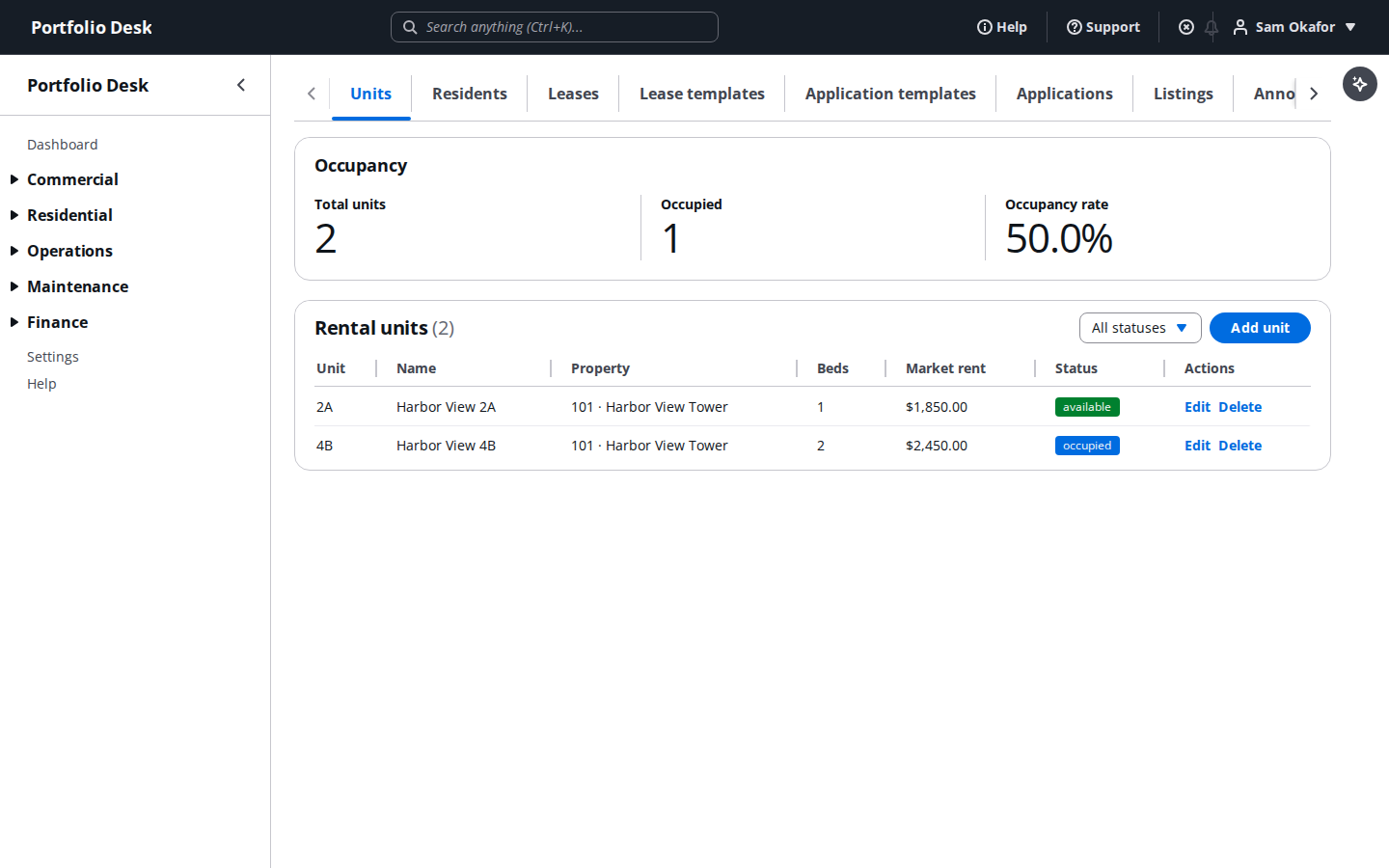
A real screen from the running product, captured against a demo portfolio. - 2
Market the vacancies
Turn an available unit into a listing with photos, marketing rent and a headline, then syndicate it to the portals you use.
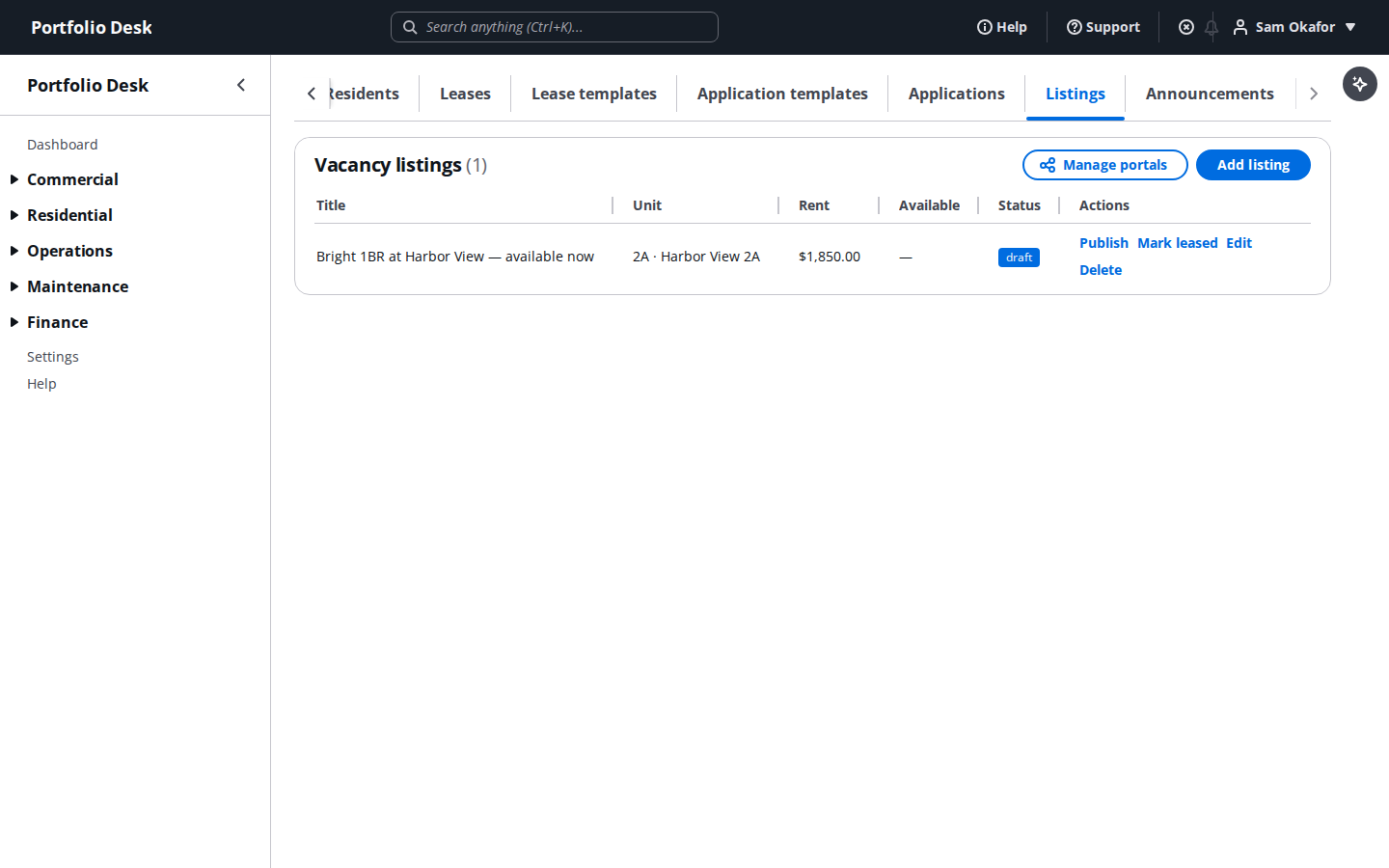
A real screen from the running product, captured against a demo portfolio. - 3
Run the applications pipeline
Applications arrive against a unit and move through review, screening and decision. Each one keeps its own trail, so a declined applicant has a record of why.
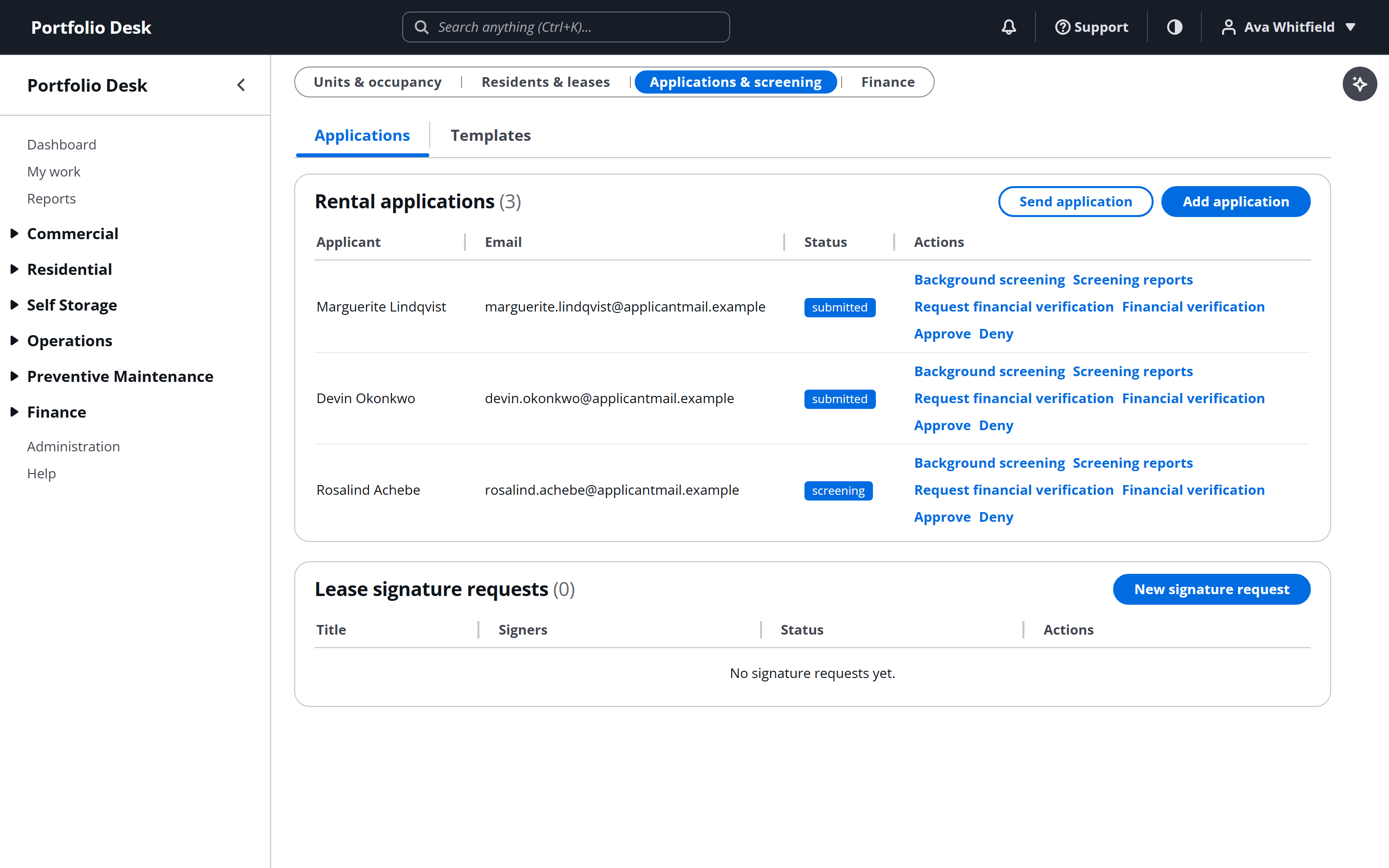
A real screen from the running product, captured against a demo portfolio.
Used alongside
Credit, criminal and eviction screening run by TransUnion, with the report staying on their side of the line.
Which leases require cover, which have it, which lapsed, and which simply have nothing on file.
Charges, receipts, deposits and the delinquency view that decides who gets chased today.
No card required. Every feature in this guide is available to try.
Get started